

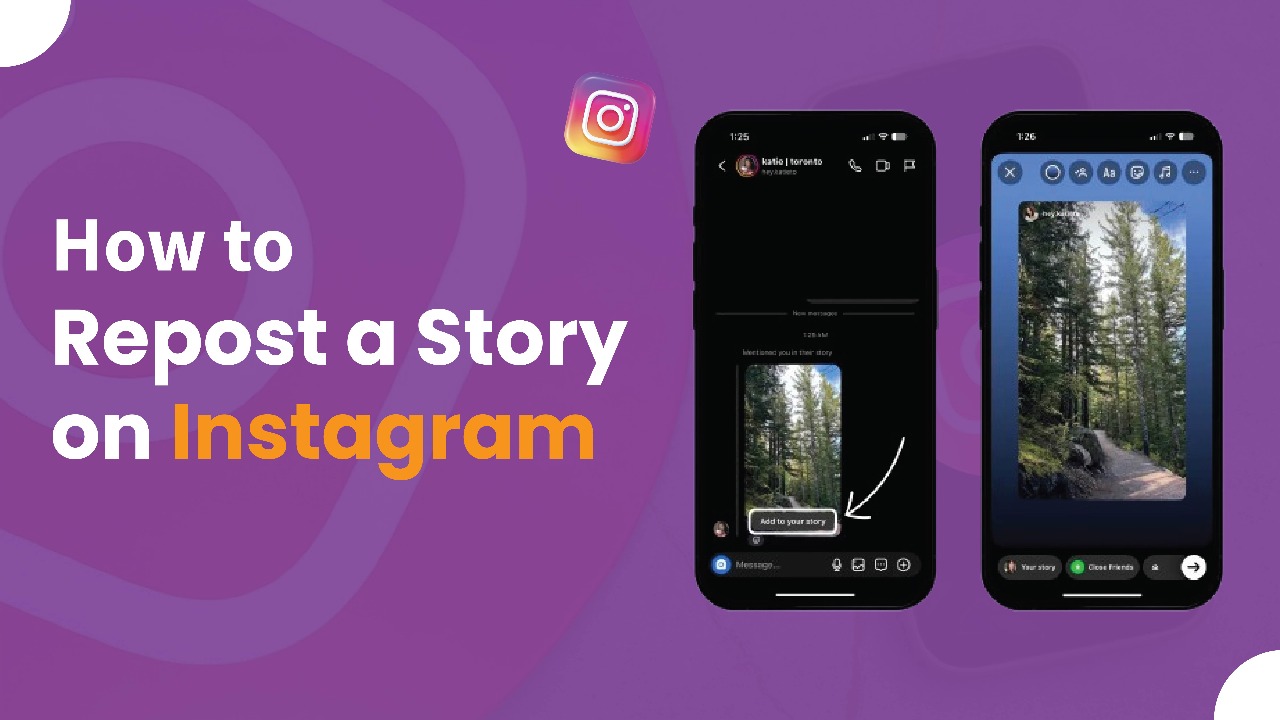
Managing social media content for businesses can quickly become a complex task, especially when it comes to leveraging Instagram stories effectively. Reposting stories allows brands to highlight authentic customer experiences, showcase testimonials, and amplify user-generated content, making it a crucial part of any social media marketing strategy. However, the manual process of resharing stories can be time-consuming and inefficient, particularly for marketing teams juggling multiple campaigns. Understanding the proper way to repost Instagram stories ensures that your brand maintains professionalism while engaging with your audience. Whether you’re sharing content from your own account or resharing posts from followers, mastering this process can significantly enhance your Instagram presence.
In this guide, we’ll explore both traditional and advanced methods for reposting Instagram stories in a seamless way. From simple manual techniques like screenshots to more polished solutions that maintain brand consistency, businesses can choose the approach that fits their strategy. By learning these strategies, you can streamline your content workflow, maintain high-quality story reposts, and create an engaging Instagram feed that strengthens your brand identity. This tutorial is tailored to help businesses of all sizes maximize the impact of Instagram stories while saving time and effort.
How to Repost Instagram Stories When You’re Tagged
When a user tags your business in their Instagram story, the platform makes it easy to reshare the content using its native tools. This is the most common scenario for businesses looking to share user-generated content while giving proper credit to the original creator. Reposting tagged stories not only strengthens engagement but also highlights authentic customer experiences.
Step-by-Step Process for Tagged Stories
- Check Your Direct Messages: Once someone tags your account, Instagram automatically forwards the story to your DMs. Tap the paper airplane icon at the top right of your app to access your messages. You’ll find the tagged story in the conversation with the user who mentioned you.
- Tap “Add to Your Story”: Within the DM, locate the shared story and tap the “Add to Your Story” button beneath it. This will open the story in the editing screen, ready for customization.
- Customize Your Story: On the editing screen, you can add text, stickers, GIFs, or other elements to match your brand identity. Move and resize the original story within your frame, apply brand colors, fonts, or additional context that aligns with your social media marketing strategy.
- Post the Story: When your customization is complete, tap “Your Story” to share it. The reposted content will now appear on your Instagram profile, giving credit to the original creator while maintaining your professional brand presentation.
By following these steps, businesses can effortlessly repost tagged Instagram stories, showcase authentic content, and enhance engagement while maintaining proper attribution.
Best Practices for Reposting Instagram Stories as a Business
When resharing tagged stories, it’s important to maintain professionalism while adding meaningful value to the content. Instead of simply reposting, consider including a personalized thank-you message, relevant hashtags, or a call-to-action that encourages your audience to engage with your brand further.
Instagram automatically credits the original creator by including their username in your reposted story. To enhance visibility and appreciation, you can also add mention stickers, highlighting the creator and giving extra recognition. This not only strengthens relationships with your audience but also encourages more user-generated content. By following these best practices, businesses can maximize engagement, maintain brand integrity, and turn every repost into an opportunity for meaningful interaction.
How to Repost Instagram Stories When You’re Not Tagged
Occasionally, you may come across valuable user-generated content (UGC) that doesn’t include a direct mention of your brand. Reposting these stories requires a slightly different approach, as it’s essential to obtain permission from the original creator before sharing. This ensures that your business maintains ethical practices while avoiding potential copyright issues.
To repost stories when you’re not tagged, consider reaching out to the creator via direct message or comment, requesting their approval to reshare their content. Once permission is granted, you can either take a screenshot of the story or use Instagram’s built-in sharing tools if the user has allowed sharing for their account. Always provide clear attribution by tagging the original creator in your reposted story. By following these steps, businesses can ethically leverage UGC, expand their content pool, and strengthen relationships with followers while maintaining professional integrity.
Screenshot and Screen Recording Methods for Reposting Stories
If you want to reshare an Instagram story where your account hasn’t been tagged, using screenshots or screen recordings is a practical solution. These methods allow you to capture and repost content that isn’t directly shareable through Instagram’s in-app tools.
For Image Stories:
- Take a screenshot of the story while viewing it.
- Open Instagram’s story creation tool and tap the story camera.
- Upload the screenshot from your gallery to create a new story.
- Add sticker text to provide proper attribution by tagging the original creator.
- Include any additional context, branding elements, or call-to-action to maintain professional presentation.
For Video Stories:
- Use your device’s screen recording feature while viewing the story.
- Stop recording after capturing the desired content.
- Upload the video to Instagram’s story creation area.
- Edit the video to remove any interface elements or distractions if needed.
- Add attribution and relevant branding to ensure your repost maintains professionalism.
These screenshot and screen recording techniques are particularly useful when the content you wish to share does not appear in your direct messages or lacks native sharing options. By following these steps, businesses can ethically repost user-generated content while keeping their Instagram stories engaging and visually consistent.
Quality and Professional Concerns for Reposting Instagram Stories
While manual methods like screenshots and screen recordings work for occasional story reposts, they often compromise visual quality and fail to maintain the professional appearance businesses require. Screenshots can appear pixelated, and screen recordings may capture unwanted interface elements, which can detract from your brand’s presentation and overall social media aesthetics.
Many companies turn to third-party apps to simplify the reposting process, including dedicated reposting tools, social media management platforms, and specialized Instagram utilities. However, these solutions often come with significant limitations:
Common Limitations of Third-Party Apps:
- Security Risks: Many apps require extensive account permissions, which can compromise your Instagram account security.
- Quality Issues: Some tools rely on screenshots or basic screen captures, resulting in lower-quality visuals.
- Reliability Concerns: Third-party apps may stop working when Instagram updates its API or terms of service.
- Limited Functionality: Most tools focus only on basic reposting, lacking advanced features needed for professional business management.
- Compliance Issues: Certain apps may violate Instagram’s terms of service, creating potential account risks.
For businesses committed to professional social media management, full-service platforms provide a safer and more reliable solution. These platforms ensure enterprise-level security, high-quality content, and compliance with Instagram regulations while allowing seamless reposting and embedding of stories on websites. Using such professional solutions helps brands maintain a polished, consistent presence and maximize engagement without compromising on quality or credibility.
How Businesses Can Automatically Display Instagram Stories on Websites
Instead of relying on manual reposting, businesses can use automated tools like Juicer to showcase Instagram stories directly on their websites. These platforms dynamically pull stories from your Instagram account and display them professionally, saving time while maintaining high-quality presentation.
Key Benefits of Using Automated Instagram Story Displays
- Boosted Website Engagement: Featuring fresh, authentic Instagram stories on your site encourages visitors to interact more and increases time spent on pages. Highlighting updates, behind-the-scenes content, or user-generated content creates a more engaging browsing experience.
- Real-Time Updates: Your Instagram stories appear on your website immediately after posting, eliminating manual updates and ensuring your site always reflects the latest content.
- Professional Presentation: Stories retain their original quality and can be displayed in customizable templates that align with your website’s design and branding.
- Social Proof Integration: Instagram stories provide genuine social proof, showcasing real customer interactions, product demos, and business operations directly on your site.
Quick Setup Process
- Account Setup: Create a Juicer account and connect your Instagram Business account using your username. Note that Instagram Stories are included in a 7-day free trial, after which a paid plan is required.
- Customize Design: Select layouts, colors, and settings that match your website’s design and branding.
- Embed Widget: Copy and paste the provided embed code into your website to display your stories.
- Optimize Performance: Configure update frequency and loading settings for the best website performance.
Practical Tips for Businesses
- Design Instagram stories with website visitors in mind—behind-the-scenes footage, product demos, and company updates typically perform best.
- Ensure your story widget displays correctly on mobile devices, as most website traffic comes from mobile users.
- Monitor engagement metrics to understand how Instagram story integration affects visitor behavior.
- Use multi-page integration to create consistent storytelling and maintain brand presence throughout your website.
By leveraging automated tools like Juicer, businesses can seamlessly integrate Instagram stories into their digital presence, enhance website engagement, and maintain a polished, professional look without the effort of manual reposting.
Legal and Ethical Considerations for Reposting Instagram Stories
For businesses, understanding the legal and ethical implications of reposting Instagram stories is essential to maintain credibility and avoid potential issues. Respecting copyright, giving proper attribution, and following Instagram’s community guidelines ensures that your brand builds trust with both creators and your audience.
Copyright and Permission Requirements
Instagram’s Terms of Service require users to post only content they have created or have permission to share. For companies, this means establishing clear procedures to obtain consent before reposting user-generated content (UGC). Consider strategies such as:
- Creating branded hashtags that imply permission to share content.
- Developing terms and conditions outlining how customer content may be used for marketing purposes.
Best Practices for Attribution
Proper attribution is vital to respect original creators and encourage further UGC. When reposting stories, clearly credit the original creator using mention stickers, tagging, or short thank-you messages. Effective attribution strategies include:
- Prominently tagging the original creator with mention stickers.
- Adding personalized thank-you messages to acknowledge the creator.
- Using branded hashtags to inspire additional user-generated content.
- Sharing stories that highlight how the creator interacts with your products.
- Featuring original creators in marketing campaigns to strengthen community relationships.
Building positive relationships with content creators fosters a loyal community and encourages ongoing engagement with your brand.
Instagram Community Guidelines
Familiarize your team with Instagram’s official community guidelines. Instagram prioritizes original content and discourages misleading or improperly attributed posts. Transparency about content sources helps protect your account and reinforces audience trust.
Business Risk Management
Improper reposting can negatively affect brand reputation and potentially result in legal consequences. Establish internal guidelines that emphasize obtaining permission, giving accurate credit, and maintaining records of permissions. Consider creating template messages for contacting creators and keeping documentation of approvals to ensure compliance and professional conduct.
By following these legal and ethical best practices, businesses can confidently share user-generated content while protecting their brand and fostering a respectful, engaged community.
Maximizing Engagement with Reposted Instagram Stories
Successfully reposting content involves more than simply sharing another user’s story. Thoughtful enhancement and strategic presentation can significantly boost engagement, strengthen brand equity, and provide a richer experience for your audience.
Adding Your Brand’s Touch
When reposting, integrate your brand elements in a way that complements the original content. Match fonts, color schemes, and design elements to maintain consistency with your brand identity. Provide context that explains why the content aligns with your brand values or showcases specific product benefits. This approach allows you to tell your own story while building on the creator’s original work, creating a cohesive and professional presentation.
Creative Enhancement Strategies
Leverage Instagram’s creative tools to make reposted stories more interactive and engaging. Recent statistics show that 70% of Instagram Stories are viewed with sound on, making audio and interactive features crucial. Consider the following strategies:
- Text Overlays: Add commentary, questions, or calls-to-action to encourage viewer interaction.
- Stickers and GIFs: Use polls, question stickers, or branded GIFs to enhance engagement.
- Music: Incorporate background music that complements the story and enriches the viewing experience.
- Interactive Elements: Include swipe-up links (if available) or prompts for users to share their own experiences.
Always ensure that the authenticity of the original creator is maintained while enhancing the story with your brand’s unique voice and marketing objectives.
Story Highlights Strategy
Create dedicated Story Highlights for different types of reposted content to extend visibility beyond the standard 24-hour lifespan. Categories can include:
- “Customer Love”
- “Product in Action”
- “Community Spotlights”
Organize highlights with clear, branded cover images and descriptive titles to help visitors easily find and engage with specific user-generated content. This strategy not only increases engagement but also builds a well-curated brand presence on Instagram.
Conclusion
Reposting Instagram stories is a powerful strategy for businesses to showcase authentic user-generated content, engage their audience, and strengthen brand presence. Whether you are sharing tagged content, obtaining permission for untagged stories, or integrating Instagram stories directly into your website, following best practices ensures professional presentation and compliance with legal guidelines. By combining thoughtful content enhancement, proper attribution, and automation tools, businesses can maximize engagement, maintain high-quality visuals, and build a loyal community around their brand.
Frequently Asked Questions (FAQs)
How can I repost an Instagram story when I’m tagged?
You can repost a tagged story by checking your direct messages, tapping “Add to Your Story”, customizing the content with text or stickers, and then posting it to your story. Instagram automatically credits the original creator.
Can I repost a story if I’m not tagged?
Yes, but you must first obtain permission from the original creator. Once approved, you can use screenshots or screen recordings to repost while providing proper attribution.
How do I maintain brand quality when reposting stories?
Incorporate your brand colors, fonts, and design elements, and add context or creative enhancements like stickers, GIFs, music, or text overlays. This keeps the reposted content professional and consistent with your brand identity.
Are there legal risks when reposting Instagram stories?
Yes. Reposting content without permission or failing to credit the original creator can violate Instagram’s terms of service and copyright laws. Always obtain consent and provide clear attribution.
Can I display Instagram stories on my website?
Yes. Tools like Juicer allow businesses to automatically embed Instagram stories on their website, providing real-time updates, professional presentation, and increased engagement without manual reposting.
How do I track engagement for reposted stories?
Monitor Instagram analytics for story views, interactions with stickers or polls, and audience responses. Additionally, track website engagement if using embedded story widgets.

