
Skip to content
  • UCompares Awards 2026 Voting Closed — Thanks for Participating!
  • Rankings
    • Best Ad Networks
    • Best Affiliate Networks
    • Best Affiliate Programs
  • Reviews
  • Ad Networks
    • Best CPC Ad Networks
    • Best PPC Ad Networks
    • Best CPM Ad Networks
    • Push Notification Networks
    • Best Crypto Ad Networks
    • Best Display Ad Networks
    • Header Bidding Networks
    • Best Video Ad Networks
    • Best In-Image Ad Networks
    • Best Bitcoin Ad Networks
    • Best Pop Under Ad Networks
    • Ad Networks for Publishers
    • Ad Networks For Bloggers
  • Affiliate Networks
    • Best Affiliate Networks
    • Best CPA Networks
    • Best CPS Networks
    • Best CPL Networks
    • Best CPI Networks
    • Best PPD Networks
    • CPA Networks For Beginners
    • European CPA Networks
  • Affiliate Programs
  • Topics
    • Advertising
    • Affiliate Marketing
    • Crypto
    • Glossary
    • Guides
    • Interviews
    • Social Media
      • Instagram
      • Snapchat
      • TikTok
      • Facebook
      • Twitter
      • Whatsapp
      • Messenger
      • Telegram
      • YouTube
  • News
uCompares Awards
You are at:Home » Following Too Fast on TikTok? Fix It in 2026
TikTok

Following Too Fast on TikTok? Fix It in 2026

uCompares StaffBy uCompares StaffOctober 5, 2026
Share Facebook Twitter Pinterest LinkedIn Tumblr Email
Following Too Fast on TikTok? Fix It in 2026

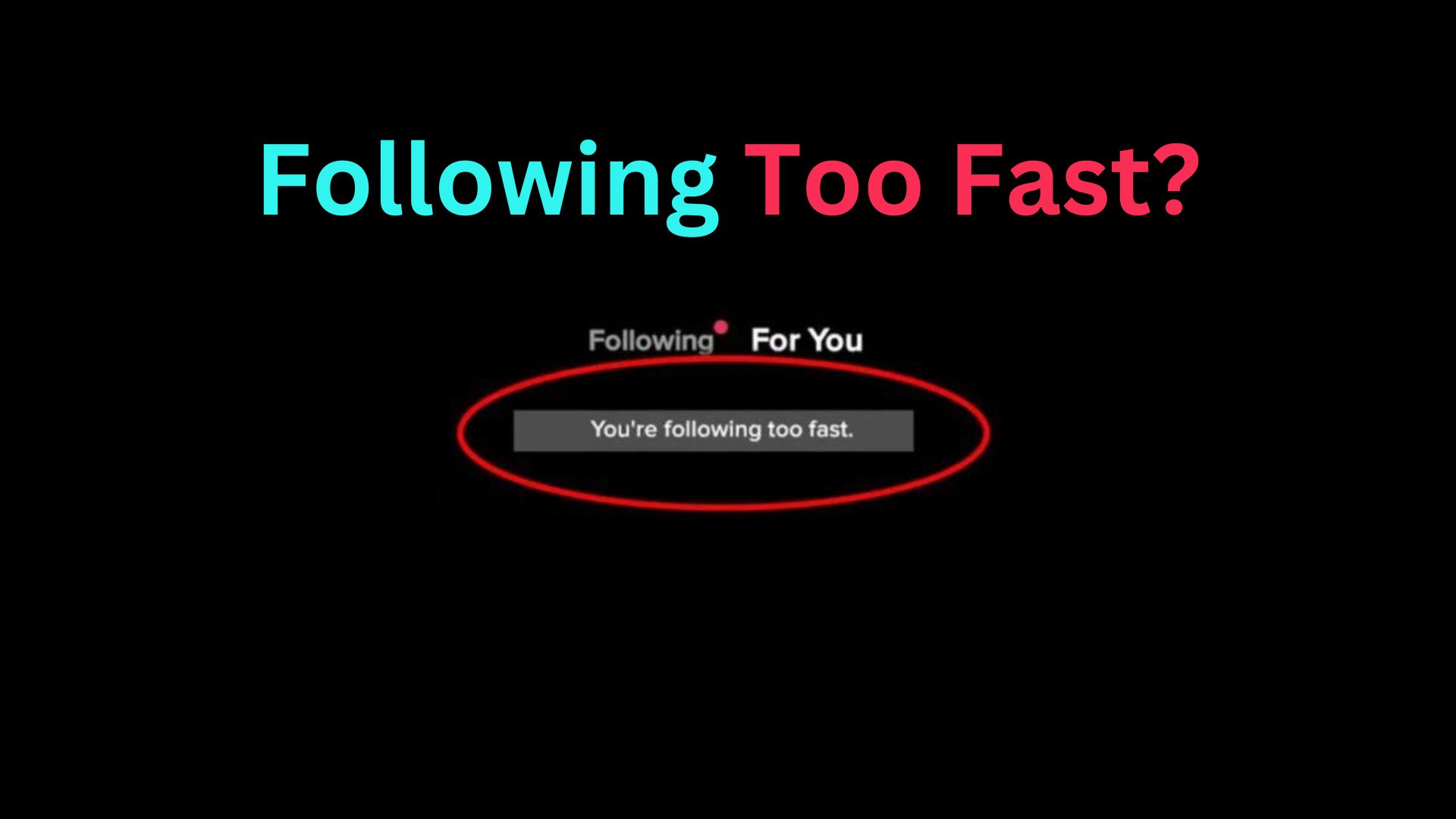
If TikTok says “You’re following too fast”, the platform has temporarily restricted your ability to follow more accounts. This usually happens when TikTok detects a rapid burst of follow activity that resembles automated or spam-like behavior. The safest fix is to stop following people for a while, avoid repeated follow attempts, check your account for unusual activity, and gradually resume normal activity once the restriction clears.

The “following too fast” message means TikTok has detected an unusually high rate of follow actions from your account and has temporarily limited that activity. It is generally an anti-spam measure designed to distinguish normal user behavior from automated or abusive activity.

The restriction does not necessarily mean that your TikTok account has been permanently banned. In many cases, the limitation is temporary and disappears after you stop triggering the follow restriction.

The exact duration can vary depending on the circumstances. TikTok may consider factors such as how quickly accounts were followed, how frequently similar actions were performed, and whether the account has other activity that appears unusual.

Why Does TikTok Limit Following Activity?

TikTok needs to protect its platform from behavior such as:

  • Automated follow bots
  • Follow-for-follow spam
  • Mass account activity
  • Fake engagement services
  • Compromised accounts
  • Aggressive growth tactics
  • Repeated actions performed unusually quickly

A normal person may follow several accounts while browsing. However, following a large number of accounts within a short period can look very different from ordinary browsing behavior.

For that reason, TikTok may temporarily restrict the action even when you did not intentionally violate a rule.

Why Are You Following Too Fast on TikTok?

There are several possible reasons for receiving the warning. The most common is simply following many accounts too quickly, but it is not the only explanation.

You Followed Many Accounts Quickly

The most straightforward cause is a rapid series of follow actions.

For example, if you discover a new niche and immediately follow dozens of creators one after another, TikTok may interpret that activity as abnormal.

The important point is that there is no reliable public rule saying that every user can follow exactly a certain number of accounts within a particular number of minutes before receiving the warning. Limits and enforcement can vary.

You Repeatedly Followed and Unfollowed Accounts

Repeatedly following accounts and then removing them can also make your activity look artificial.

This behavior is particularly common with follow-for-follow strategies. A user may follow hundreds of accounts hoping that some will follow back and then unfollow those accounts later.

Although this may appear to be a quick growth technique, it can create unusual engagement patterns and potentially trigger restrictions.

You Used a Third-Party Growth Tool

If you have connected your TikTok account to an automation or growth service that performs follows on your behalf, stop using it while troubleshooting the problem.

Third-party automation can generate activity at a speed or frequency that does not resemble ordinary human behavior.

You should also review which services have access to your account and remove access that you no longer trust or need.

Your Account Was Compromised

Sometimes unusual following activity is not caused by you.

If you notice accounts in your following list that you do not remember following, unexpected profile changes, unfamiliar login activity, or other strange behavior, your account may have been accessed by someone else.

In that situation, account security should take priority over trying to remove the follow restriction.

You Repeated the Follow Action Too Many Times

Continuously tapping Follow after TikTok rejects the action is unlikely to solve the problem.

Repeated attempts can create even more follow requests and make the activity appear unusual. Once the warning appears, stop trying to follow accounts and allow the restriction to clear.

How to Fix “Following Too Fast” on TikTok

The best approach is to stop the behavior that triggered the warning and give the account time to return to normal activity.

Step 1: Stop Following Accounts Temporarily

The first thing to do is stop following new accounts.

Do not repeatedly press the Follow button to see whether it works again. Instead, take a break from following people and use TikTok normally for other activities.

You can still browse content, watch videos, and interact naturally, provided those actions are available on your account.

Step 2: Do Not Keep Testing the Follow Button

One common mistake is checking every few minutes to see whether the restriction has disappeared.

For example:

  1. Follow an account.
  2. Receive the warning.
  3. Wait five minutes.
  4. Try again.
  5. Receive the warning.
  6. Repeat the process.

This does not provide a useful solution.

Once TikTok displays the warning, stop testing the restricted action. Give the platform time to remove the temporary limitation.

Step 3: Review Your Recent Activity

Think about what happened immediately before the warning appeared.

Ask yourself:

  • Did I follow many accounts in a short period?
  • Did I repeatedly follow and unfollow people?
  • Did I use a growth or automation service?
  • Did someone else have access to my account?
  • Did I recently change devices?
  • Did I notice unfamiliar account activity?

Identifying the likely trigger helps you avoid repeating the behavior after the restriction disappears.

Step 4: Check Your Account Security

If the activity does not look like something you performed, check your account security.

Review your account for:

  • Unfamiliar devices
  • Unexpected login activity
  • Unknown connected services
  • Profile changes you did not make
  • New follows you do not recognize
  • Unusual messages or interactions

If anything looks suspicious, secure your account before continuing normal activity.

Use a strong, unique password and enable available security protections such as two-step verification.

Step 5: Remove Unnecessary Third-Party Access

If you previously connected TikTok to an external application, review whether you still need that connection.

A third-party service should not be trusted simply because it promises faster follower growth. Services that automate account actions can create behavior that conflicts with TikTok’s platform rules or triggers automated protections.

Only keep services that you recognize and genuinely need.

Step 6: Update the TikTok App

Make sure you are using a current version of TikTok.

An outdated app can sometimes cause unexpected interface behavior or problems with account actions. Updating the application also ensures that you have the latest available fixes and security improvements.

On your device, open the relevant app store, search for TikTok, and check whether an Update option is available.

Step 7: Restart TikTok

After updating the application, completely close TikTok and reopen it.

On mobile devices, remove TikTok from the recent-apps screen before reopening it. Then sign back into your account if necessary and check whether the warning is still present.

Restarting the app will not necessarily remove a server-side restriction, but it can help distinguish a temporary app problem from an account-level limitation.

Step 8: Clear TikTok’s Cache

If TikTok continues behaving strangely, clearing its cache may help with local application problems.

The exact menu names can differ depending on the current TikTok version and device.

Look for TikTok’s storage or cache controls within the application settings or your device settings. Clearing the cache should not be treated as a guaranteed solution to a server-side follow restriction, but it can help when the app itself is malfunctioning.

Step 9: Wait Before Resuming Follow Activity

If the restriction is temporary, time is often the most important part of the solution.

Avoid trying to bypass the restriction with another device, automation service, or repeated login attempts. Instead, allow the account to remain inactive with respect to following.

When the Follow button works normally again, return to normal activity gradually rather than immediately following a large number of accounts.

Step 10: Resume Following Gradually

Once the restriction disappears, avoid immediately repeating the activity that triggered it.

Instead of following many accounts in a short burst, spread your activity naturally across your browsing sessions.

The goal is not to find a loophole around TikTok’s systems. The goal is to use the platform in a way that resembles normal human behavior.

How Long Does the “Following Too Fast” Restriction Last?

There is no single guaranteed duration for every TikTok account.

A temporary restriction may clear after a relatively short period, while some restrictions can take longer depending on the account and activity that triggered the system.

Avoid relying on claims that the restriction will always disappear after exactly a particular number of hours. TikTok can change its enforcement systems, and individual cases can differ.

The practical approach is to stop triggering the restricted action and wait.

What Should You Do While Waiting?

You do not necessarily need to stop using TikTok completely. You can focus on normal activities that are still available to you, such as:

  • Watching videos
  • Learning from creators
  • Creating content
  • Reviewing your profile
  • Responding to legitimate interactions
  • Checking account security
  • Planning future content

However, do not repeatedly perform the action that TikTok has already restricted.

What If You Still Cannot Follow Anyone?

If you have stopped excessive follow activity and the problem continues, work through the following checks.

Check Whether the Problem Affects Every Account

Try to determine whether the restriction affects your entire account or only one particular profile.

If you cannot follow anyone, the issue is more likely to be an account-level restriction or technical problem.

If you can follow some accounts but not another specific account, the situation may have a different cause.

Check Your Internet Connection

A poor or unstable connection can sometimes cause actions to fail or appear not to register correctly.

Try switching between a reliable Wi-Fi connection and mobile data. If other TikTok functions work normally while following remains restricted, the issue is less likely to be your internet connection.

Check Whether TikTok Is Experiencing a Service Problem

If multiple TikTok functions are suddenly failing, the problem may not be limited to your account.

For example, if videos fail to load, profiles are unavailable, messages are delayed, and follow actions are also failing, a broader technical issue may be involved.

In that case, waiting for the service to recover may be more appropriate than repeatedly changing account settings.

Contact TikTok Support

If the restriction continues unusually long or you believe it was applied incorrectly, report the problem through TikTok’s available support or in-app reporting options.

When contacting support, explain:

  • The exact warning you see
  • When the problem started
  • Whether you recently followed many accounts
  • Whether the restriction affects all profiles
  • Whether your account shows suspicious activity
  • What troubleshooting steps you already tried

Providing useful information is more effective than repeatedly submitting the same complaint.

Can You Prevent the “Following Too Fast” Error?

Yes. Although you cannot guarantee that TikTok will never restrict an action, you can significantly reduce the likelihood of triggering automated anti-spam protections.

Follow People Naturally

Avoid treating the Follow button as a bulk-growth tool.

Follow creators whose content you genuinely want to see instead of rapidly following large numbers of accounts simply to increase your following count.

Avoid Follow-for-Follow Campaigns

Follow-for-follow can encourage repetitive mass following and unfollowing.

It may also produce a low-quality audience because many followers have little genuine interest in your content.

A smaller audience that watches, comments, shares, and returns to your videos can be more useful than a large list of inactive followers.

Avoid Automation

Do not use tools that automatically follow, unfollow, like, or interact with accounts unless you have verified that the tool and its use comply with TikTok’s current rules.

Automation is particularly risky when it performs large numbers of actions quickly.

Do Not Buy Engagement

Buying followers or engagement can create additional account-quality and authenticity problems.

Artificial engagement also does not guarantee genuine audience growth. If your goal is to build a creator, business, or affiliate presence, focus on content and authentic interactions instead.

Common Mistakes to Avoid

Repeatedly Pressing Follow

If TikTok has already restricted following, repeatedly tapping the button will not normally remove the restriction.

Better approach: Stop the action and wait.

Switching Accounts to Continue Mass Following

Moving the same behavior to another account is not a reliable solution.

Better approach: Identify the behavior causing the problem and change the way you use the platform.

Using a Bot to Bypass the Restriction

A bot may appear to solve the problem temporarily, but automation can create additional account risks.

Better approach: Avoid automated follow activity and use TikTok manually.

Uninstalling TikTok Repeatedly

Reinstalling the application may help with certain technical problems, but it does not necessarily remove an account-level restriction.

Better approach: First determine whether the problem is local to the application or associated with your account.

Creating Another Account Immediately

Creating another account simply to continue mass following does not address the underlying behavior.

Better approach: Use your existing account normally and build engagement organically.

Is the “Following Too Fast” Error a Ban?

No, not necessarily.

A “following too fast” warning is generally a restriction on follow activity rather than proof that your entire TikTok account has been permanently banned.

A banned account typically involves broader access or policy consequences. A follow restriction may affect one particular action while other parts of TikTok remain available.

If you can still access your profile, watch videos, create content, and use other features normally, the issue may be limited to following.

Can You Still Post Videos While This Happens?

In many cases, a restriction on following does not automatically prevent you from posting content.

However, restrictions can vary by account and situation. If TikTok has imposed broader limitations, other features may also be affected.

If posting remains available, use the opportunity to focus on content creation rather than trying to bypass the follow restriction.

Does Following Too Fast Affect Your TikTok Account?

A temporary follow restriction does not automatically mean your account will be permanently penalized.

However, repeatedly engaging in behavior that TikTok identifies as spammy or abusive can create greater account-management problems.

This is why the safest strategy is to treat the warning as a signal to slow down rather than something that needs to be bypassed.

A Simple Decision Framework

If you see the warning, use this process:

Situation Recommended Action
You followed many accounts quickly Stop following and wait
You repeatedly followed and unfollowed Stop the cycle and resume naturally
A bot or growth tool is connected Stop using it and review access
You see unfamiliar follows Secure your account
The app appears broken Update, restart, and troubleshoot
The restriction continues unusually long Contact TikTok support
Only one profile cannot be followed Check whether the issue is specific to that account

This approach prevents you from treating every follow problem as the same technical issue.

Expert Tips for Growing on TikTok Without Mass Following

The strongest long-term solution is to reduce your dependence on aggressive following tactics.

Create Content for a Specific Audience

A clear content niche makes it easier for the right viewers to discover your account.

Instead of trying to follow thousands of people, create videos around topics your target audience already searches for and watches.

Improve the First Few Seconds

TikTok is highly competitive for attention. Your opening should quickly establish what the viewer will gain from watching.

For example, instead of beginning with a long introduction, start with the problem, result, question, or useful information.

Use Relevant Topics and Search Language

Understand what your target audience is searching for and build videos around those topics.

This can attract people who already have an interest in your subject rather than relying entirely on outbound following.

Encourage Genuine Interaction

Invite viewers to comment when a genuine question or discussion makes sense.

Then participate in those conversations naturally. Meaningful interaction can be more valuable than simply increasing the number of accounts you follow.

Measure Audience Quality

Do not judge growth solely by follower count.

Also consider:

  • Views
  • Watch time
  • Engagement
  • Shares
  • Comments
  • Profile visits
  • Repeat viewers
  • Conversion actions

These metrics can tell you whether your audience actually cares about your content.

Frequently Asked Questions

How long does the “Following Too Fast” restriction last on TikTok?

The restriction is usually temporary, but TikTok does not guarantee a fixed duration for every account. It is best to stop following accounts and wait until the restriction clears rather than repeatedly testing the Follow button.

Why does TikTok say I am following too fast?

TikTok may display this message when you follow many accounts within a short period or repeatedly perform follow and unfollow actions. The system uses these signals to detect activity that may resemble spam or automation.

Can I still use TikTok when I am following too fast?

Yes, in many cases you can continue using other TikTok features, such as watching videos, creating content, and interacting with viewers. The restriction may apply specifically to your ability to follow accounts.

Does “Following Too Fast” mean my TikTok account is banned?

No. The message does not necessarily mean that your account has been banned. It generally indicates a temporary restriction on follow activity, although broader restrictions can occur in some situations.

Should I keep trying to follow people until it works?

No. Repeatedly pressing the Follow button can continue triggering the restriction. Once you see the warning, stop following accounts and give TikTok time to remove the limitation.

Can a TikTok bot cause the “Following Too Fast” error?

Yes. Automation tools that rapidly follow or unfollow accounts can create activity that looks unlike normal human behavior. If you use a third-party growth or automation service, stop using it while troubleshooting the restriction.

What should I do if someone else followed accounts from my TikTok account?

Check your account for unfamiliar activity, including unknown devices, unexpected profile changes, and follows you do not recognize. Secure your account by changing your password, enabling available security protections, and reviewing connected services.

Can I follow people again after the restriction disappears?

Yes, but resume gradually rather than immediately following a large number of accounts. Avoid repeating rapid follow bursts, mass follow-for-follow campaigns, and repeated follow/unfollow cycles.

Does uninstalling TikTok fix the “Following Too Fast” problem?

Uninstalling and reinstalling TikTok does not necessarily remove an account-level restriction. If the problem is caused by TikTok’s server-side anti-spam system, the restriction generally requires time to clear rather than a simple app reinstall.

What should I do if I still cannot follow anyone on TikTok?

First, stop repeated follow attempts and check your account security. You can also update and restart the TikTok app, check your internet connection, and review whether third-party services are connected. If the restriction continues unusually long, contact TikTok support through the available in-app support options.

Read More

How to Improve TikTok Video Quality: 10 Tips & Tricks

How To Delete A TikTok Video – Step by Step Guide

Final Takeaway

The “Following Too Fast” message on TikTok usually means your follow activity has been temporarily restricted because it resembles unusually rapid or spam-like behavior. The safest solution is to stop following accounts, avoid repeatedly testing the Follow button, review your account security and connected tools, and give the restriction time to clear.

Once you can follow accounts again, return to normal activity gradually. Avoid bots, mass follow-for-follow campaigns, and repeated follow/unfollow cycles. For sustainable TikTok growth, creating useful content and attracting genuinely interested viewers is a safer and more valuable strategy than trying to follow large numbers of accounts quickly.

Share. Facebook Twitter Pinterest LinkedIn Tumblr Email
Previous ArticleHow To See and Edit Your TikTok Watch History in 2026
Next Article Affiliate Marketing for Fitness Equipment on a Budget in 2026
uCompares Staff
  • Website

Related Articles

TikTok

How to Improve TikTok Video Quality: 10 Tips & Tricks

TikTok

TikTok Watch History: How to See Your Watch History

TikTok

How To Save A TikTok Video To Your Camera Roll

TikTok

How To See and Edit Your TikTok Watch History in 2026

TikTok

How Much Is TikTok Worth in 2026? | TikTok Valuation

TikTok

How to Use TikTok Keywords for Better TikTok SEO

Add A Comment

Leave A Reply Cancel Reply

Network Of The Month

  • Bitmedia’s Network of the Month highlights top-performing traffic sources that deliver quality reach, strong engagement, and real results for advertisers.
  • Featured
Visit Site

Top Ad Networks

HillTopAds

  • A powerful ad network specializing in high-quality pop, push, and native ads with strong global reach.
Ad Network
Pop
Native
Visit Site
  • Featured

BitMedia

  • A leading crypto-focused ad network delivering premium traffic for blockchain and fintech brands.
Crypto Ads
Display
Push
Visit Site
  • Featured

Adsterra

  • A trusted global ad network offering high-performing ad formats with smart optimization and anti-fraud protection.
Crypto Ads
Pop
Push
Visit Site
  • Featured

CPA.House

  • A performance-driven CPA network connecting advertisers and publishers with profitable, high-converting offers.
CPA Network
Push
Native
Visit Site
  • Featured

Push.House

  • A fast-growing push notification ad network providing targeted traffic and competitive CPM rates.
Ad Network
Push
Native
Visit Site
  • Featured

Let's Connect

Facebook Instagram Linkedin Pinterest Threads X-twitter
  • About
  • Contact
  • Advertise
  • uCompares Awards
  • Privacy Policy
  • Affiliate Disclosure

Affiliate Programs

  • Best Marketing Software Affiliate Programs In 2026
  • 10 Best 3D Printer Affiliate Programs In 2026
  • 15 Best Nootropics Affiliate Programs In 2026
  • 10 Best Education Affiliate Programs For 2026
  • 10 Best Guns Affiliate Programs In 2026
  • 15 Best Loan Affiliate Programs In 2026

Ad Networks

  • 10 Best Rich Media Ad Networks in 2026
  • 15 Best Ad Networks for Publishers In 2026
  • 20 Best CPM Ad Networks For Publishers in 2026
  • 20 Best Push Notification Ad Networks in 2026
  • 15 Best Self Service Advertising Networks in 2026
  • 10 Best Banners Ad Networks in 2026

Affiliate Networks

  • 10 Best Affiliate Marketing Websites in 2026
  • 10 Best Betting Affiliate Networks in 2026
  • 30 Best CPA Networks For Beginners in 2026
  • 30 Best CPI Networks For Affiliates in 2026
  • Instagram Affiliate Marketing for Skincare Products in 2026
  • Why Affiliate Marketing is a Top Online Business in 2026

Reviews

  • MyLead Review 2026
  • Xebrio Review 2026
  • Work Relay Review 2026
  • EventTitans Review 2026
  • InterBase Review 2026
  • RAD Studio Review 2026
  • ABP Commercial Review 2026

© 2025 uCompares All Rights Reserved.
