

Featured Social Media Software:
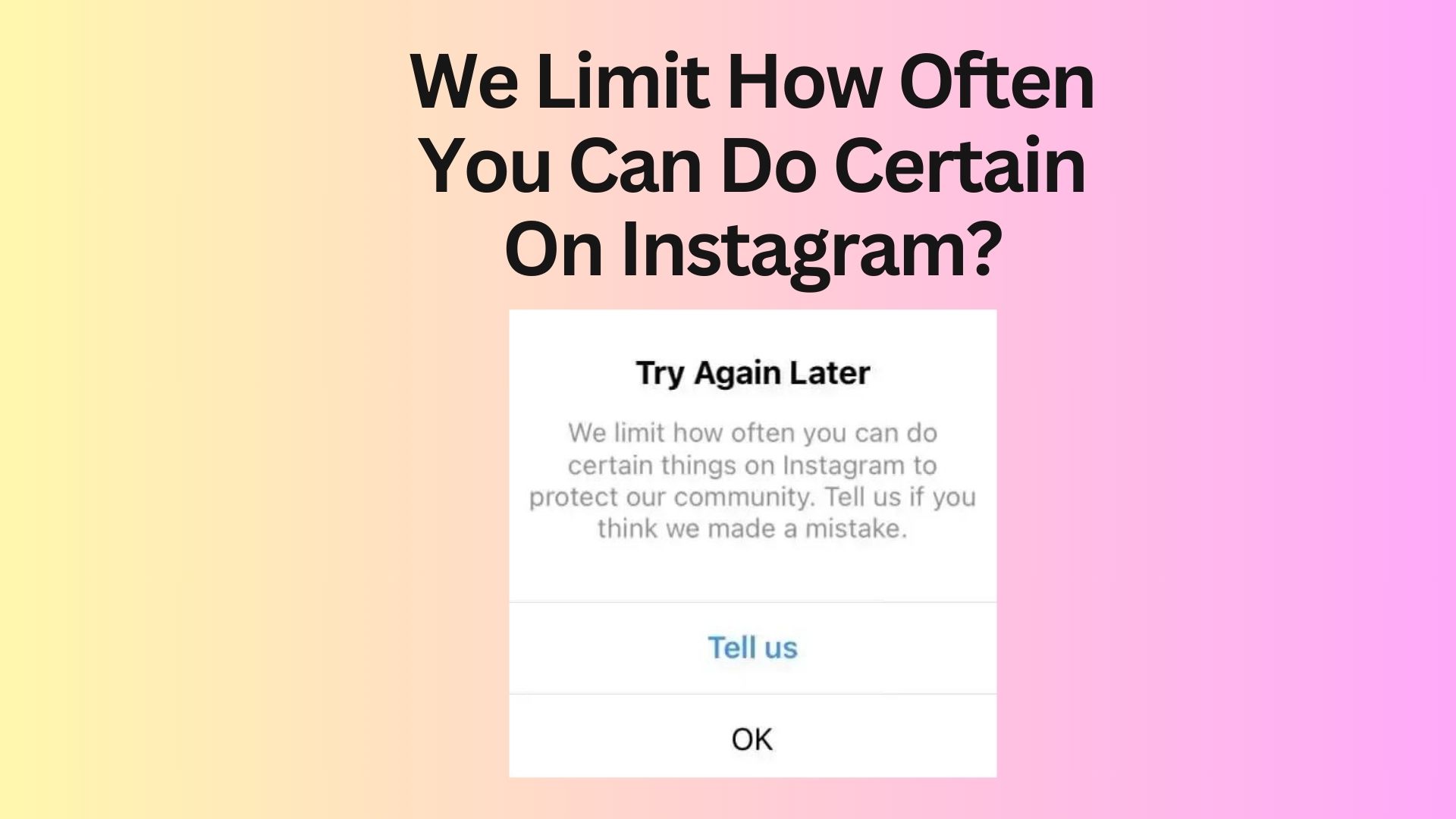
What Does “We Limit How Often You Can Do Certain Things” Mean?
What Is Instagram Trying to Tell You With This Warning?
This message means Instagram has temporarily restricted your account from performing certain actions because your behavior looks automated, excessive, or unsafe.
Actions that may be restricted:
- Following or unfollowing accounts
- Liking or commenting on posts
- Posting stories or captions
- Sending messages in bulk
It is not a permanent ban, but a temporary action block.
Why Does Instagram Limit Your Activity?
Instagram has a range of rules and algorithms designed to prevent spam and ensure the platform’s safety. When users perform actions too frequently—such as posting, liking, commenting, or following—Instagram may flag these activities as suspicious, limiting what you can do for a period of time. This automated restriction is part of Instagram’s efforts to maintain a healthy user environment.
Common Reasons for Instagram Restrictions
Here are some common reasons why Instagram may restrict your account:
1. Exceeding Instagram’s Caption Limit
Instagram allows captions up to 2,200 characters. If you regularly exceed this limit, especially with long captions that extend into the comments, Instagram might flag your account. Keeping your captions concise can help avoid this.
2. Posting Too Many Stories
Instagram users can post up to 100 stories per day. If you exceed this limit, you might trigger the “We limit how often you can do certain things on Instagram” message. Even stories shared with a select audience count toward this total.
3. Following or Unfollowing Too Many Accounts
Instagram places a cap on how many accounts you can follow or unfollow in a single day, with the limit typically set at 200 actions. Engaging in excessive follow/unfollow activity can resemble bot-like behavior, causing Instagram to restrict your account temporarily.
4. Violating Instagram’s Community Guidelines
Instagram is serious about enforcing its community guidelines. If your posts, captions, or stories violate these guidelines, your account may be restricted. Instagram’s automated system often flags content that seems inappropriate or harmful.
How to Fix the “We Limit How Often You Can Do Certain Things” Error
If you’ve been restricted, don’t panic—this is a temporary issue in most cases. Follow these tips to resolve it quickly:
1. Change Your Password
One of the easiest solutions to lift an Instagram restriction is to change your password. Many users report that this helps reset Instagram’s monitoring of your account, allowing you to continue using it normally. To do this, go to Settings > Security > Password and update your password.
2. Create a Backup Account
If your account is temporarily restricted, consider using a backup Instagram profile. While this isn’t a long-term solution, it can help you stay connected with your followers and notify them about your main account’s status.
3. Remove Problematic Posts or Stories
If any of your posts or stories violate Instagram’s guidelines, removing them can help resolve the issue. Sometimes, Instagram may flag content that hasn’t been removed yet, but if you delete the questionable posts, your account might return to normal faster.
4. Report the Problem to Instagram
If you believe your account has been restricted in error, you can contact Instagram support. Go to Settings > Help > Report a Problem to explain the situation. Sometimes, restrictions are placed by mistake, and contacting Instagram may resolve the issue.
How Long Does the Restriction Last?
Is It Temporary or Permanent?
Instagram “We limit how often you can do certain things” restrictions are usually temporary action blocks, not permanent bans. In most cases, Instagram automatically lifts the limitation after a cooldown period once the system detects normal behavior again.
Typical Duration of Restrictions:
- Few minutes to 2 hours: Mild activity spikes (light overuse)
- 6 to 24 hours: Moderate spam-like behavior
- 24 to 48 hours: Heavy or repeated violations
- More than 48 hours: Rare cases with continuous misuse or automation tools
What Affects Restriction Time?
The duration is not fixed and depends on several factors:
- Severity of activity: The faster and more aggressive the actions, the longer the restriction
- Repeated violations: If you trigger limits multiple times, Instagram increases cooldown time
- Account history: New or suspicious accounts face stricter controls
- Device/IP behavior: Repeated flagged activity from same device can extend restrictions
Important Insight:
If the system keeps detecting risky behavior, the restriction may reappear immediately after it is lifted. That’s why behavior correction is more important than waiting.
What Are Common Mistakes Users Make?
Even after the restriction is removed, many users fall into the same patterns that caused the issue in the first place. Instagram’s system detects these repeated behaviors quickly, leading to recurring limits.
Mistakes That Trigger Repeated Restrictions:
- Using automation tools repeatedly
Third-party bots or growth apps create unnatural engagement patterns that Instagram flags instantly. - Ignoring daily action limits
Excessive likes, follows, or comments in a short time exceed safe thresholds. - Performing rapid follow/unfollow cycles
Fast repetitive actions resemble spam or bot behavior. - Not waiting for cooldown periods
Continuing activity immediately after restriction removal resets the warning system. - Continuing spam-like behavior
Copy-paste comments, mass liking, or bulk interactions repeatedly trigger limits.
Key Understanding:
Instagram does not only look at a single action—it evaluates behavior patterns over time. Repeating the same actions without variation increases the chance of another restriction.
How to Prevent Instagram Activity Limits in the Future
Preventing restrictions is far easier than fixing them repeatedly. Instagram rewards natural, human-like behavior and penalizes sudden spikes or automated activity patterns.
Best Practices to Avoid Restrictions:
- Keep engagement natural
Interact at a realistic pace, like a normal user instead of bulk actions. - Avoid bulk actions
Do not like, follow, or comment in large numbers within minutes. - Use official Instagram features only
Avoid third-party apps, bots, or automation tools completely. - Maintain consistent posting behavior
Regular but balanced posting reduces suspicion from algorithm systems. - Monitor activity speed
Spread actions across the day instead of doing them in a short burst.
What Are Future Trends in Instagram Activity Control?
Instagram is evolving toward smarter, AI-driven moderation systems that reduce unnecessary restrictions and improve accuracy.
AI Behavior-Based Detection
Instagram will analyze user behavior patterns instead of just counting actions.
Benefits:
- More accurate spam detection
- Reduced false restrictions
- Better understanding of real users
Real-Time Activity Monitoring
Instagram will track actions instantly and adjust limits dynamically.
Improvements:
- Faster detection of spam
- Instant soft warnings
- Reduced sudden blocks
Adaptive Action Limits
Future systems may adjust limits based on account trust level.
Example:
- New users → stricter limits
- Trusted users → higher flexibility
Smarter Recovery Suggestions
Instead of generic messages, Instagram may show clear recovery steps.
Example suggestions:
- “Slow down your activity”
- “Try again after 30 minutes”
Reduced False Restrictions
Advanced AI systems will reduce cases where real users are mistakenly flagged.
Result:
- Better accuracy
- Smoother user experience
- Fewer unnecessary blocks
Implementation Checklist to Avoid Restrictions
- Avoid rapid liking/following
- Use Instagram naturally
- Remove third-party apps
- Clear cache periodically
- Update app regularly
- Respect daily usage limits
- Pause activity during warnings
- Monitor engagement behavior
Final Expert Summary Framework
- Understand activity limit system
- Avoid spam-like behavior
- Maintain natural engagement speed
- Remove risky third-party tools
- Respect Instagram usage limits
- Fix issues with cooldown time
- Update and secure account regularly
- Monitor behavior patterns
Final Thoughts
Facing Instagram restrictions can be frustrating, but they are usually temporary and easy to resolve. By understanding why Instagram places limits on certain actions and following the platform’s guidelines, you can avoid being restricted in the future. Whether you’re a frequent poster or just enjoy engaging with others on the app, adhering to Instagram’s rules will help keep your account in good standing.
Be mindful of the limits on actions like posting, following, and commenting to enjoy a seamless experience on Instagram. If you do face a restriction, try the tips mentioned above to regain full access to your account quickly.
Frequently Asked Questions (FAQs)
Why does Instagram keep limiting my activity?
Instagram places limits on certain activities to prevent spam and protect its community. If you’re doing things like liking too many posts or following too many people in a short time, Instagram might limit your activity to stop what it thinks is suspicious behavior.
How can I stop Instagram from limiting my account?
One way to avoid limitations is by sticking to Instagram’s guidelines. Keep your activity within reasonable limits, avoid posting too often, and don’t follow or unfollow too many accounts in one day. If your account gets restricted, you can change your password or contact Instagram support.
Why did Instagram temporarily block me?
Instagram might temporarily block you if it detects spam-like behavior, such as using third-party apps to automate actions like following or liking posts. It’s also possible that you violated Instagram’s community guidelines with inappropriate content.
What’s the difference between an Instagram limit and a ban?
When Instagram limits your account, you can still log in and use the platform, but you won’t be able to do certain things like post or follow others. A ban, however, is more serious. If your account is banned, it’s usually deleted, and you won’t be able to access it anymore.
Why do I keep seeing the “Try Again Later” message on Instagram?
The “Try Again Later” message usually appears when Instagram temporarily restricts your account due to unusual activity. This could be caused by a network issue or because Instagram flagged something suspicious on your profile.

